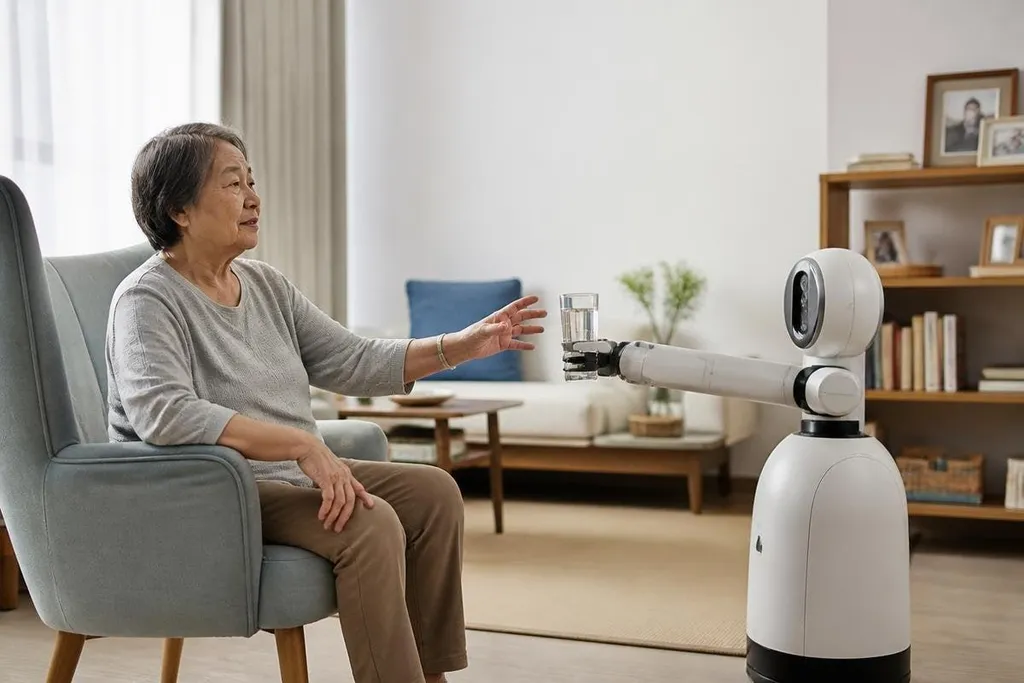
A care robot doesn't need to look after a person all day to be useful. Its first jobs may be reminders, remote check-ins, and help with objects that are hard to reach.
For families deciding what to expect, the main question is practical: which tasks can a robot handle safely, and which still need a person?
- Daily prompts: remind someone about meals, appointments, or medicine times.
- Room support: carry light items, fetch a phone, or connect a person with family.
- Safety limits: detect a fall or missed response, then ask a human to check in.
The first jobs will be narrow
Elder care covers many needs, from companionship to lifting a person from the floor. Robots are more likely to start with tasks that have clear steps and a clear point at which a human takes over.
A mobile robot could move between rooms, play a recorded reminder, or let a family member see and speak with someone through a screen. A robotic arm could pick up a cup or move an item from a low table, but its usefulness would depend on safe force limits and reliable object detection.
Those tasks sound small because they are small. That helps. A robot that handles one repeatable task can be checked against a simple result: did the reminder play, did the robot reach the table, and did it stop when a person entered its path?
Care needs more than movement
The hard part is often the decision around the task. A person may ignore a medicine reminder because they feel ill, or fail to answer because they are asleep. The robot needs a clear response plan for each case.
That plan could send an alert to a family member, connect to a care worker, or ask the person to confirm they need help. A robot should not decide on its own that a quiet room means an emergency.
Privacy matters too. Cameras and microphones can collect details about sleep, visitors, movement, and health. Families should ask where that data is stored, who can view it, and how long the company keeps it.
A privacy plan also needs a record of what the robot does when a sensor fails or a family member refuses access. Dated elder care robotics reports from Robot24.com can connect those limits to the task, test setting, and person who steps in. That is where the harder questions begin.
Where the machines still struggle
Homes change from one room to the next. A loose rug, a narrow doorway, a pet, or a dropped object can stop a mobile robot that worked well in a test space.
Human care also depends on judgment and trust. A person notices a change in mood, speech, or balance during an ordinary conversation. Sensors may detect movement, but the meaning of that movement can be harder to read.
Physical help brings a higher safety risk. Moving a cup is one task. Helping someone stand is another. That second task needs careful control of force, body position, and failure handling, and the evidence for home use needs to be clear before families depend on it.
Cost will shape who gets access. The purchase price is only one part of the decision. You may also need a network connection, floor space, repairs, software fees, and a person who can respond when the robot stops.
A buying check for families
Before choosing a care robot, check these points:
- Name the task: write down the exact job the robot must do each day.
- Test the home: measure door widths, floor changes, table height, and charging space.
- Set the handoff: decide which person receives an alert and how fast they can respond.
- Check the data: ask about camera access, storage, deletion, and account security.
- Read the limits: look for stated payload, battery runtime, safe operating area, and repair terms.
- Plan for failure: keep a human method for reminders, calls, and urgent help.
I'd skip any robot sold as a replacement for regular human care when its maker hasn't shown how it handles errors.
The useful future is more modest: a robot handles a repeatable task, a person stays responsible for care, and each new job earns trust through documented testing in real homes.